
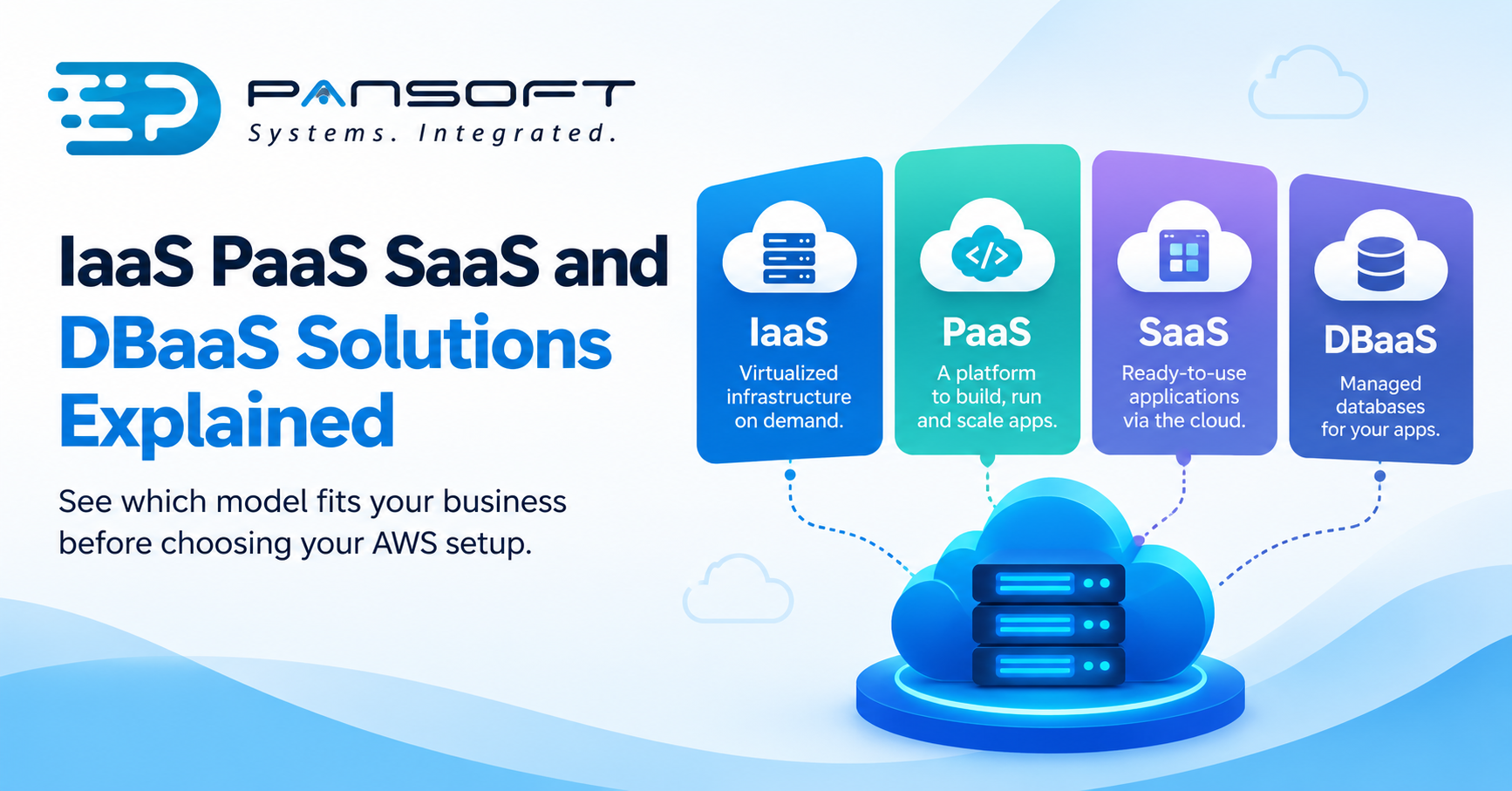
IaaS, PaaS, SaaS and DBaaS Explained for Business Owners Choosing AWS
Here’s the short version: these four labels describe how much of the technical grunt work AWS takes off your plate versus what your own team still has to handle. Rent the raw components and build everything yourself, that’s IaaS. Let AWS run the operating system and the runtime so your developers just write code, that’s PaaS. Use a finished product someone else maintains entirely, that’s SaaS. Apply that same “let someone else manage it” logic specifically to your databases, and you’ve got DBaaS. Which one fits, or which mix fits, ends up shaping your costs and your team’s day-to-day workload more than most business owners expect going in.
Nobody actually needs the textbook definitions to make a good decision here. What helps is a fast way to match each model to the part of the business it’s meant for, which turns out to be a lot less complicated than four acronyms in a row would suggest.
IaaS: You Rent the Warehouse, You Do the Fit-Out
Infrastructure as a Service hands you the raw pieces, compute, storage, networking, and stops there. It’s your responsibility to build everything on top. It’s not unlike renting an empty warehouse instead of buying one outright. AWS looks after the physical hardware sitting in the building, along with the power and cooling that keeps it running. Your team takes over from the operating system upward: applications, security settings, patching, all of it.
Businesses that genuinely need control tend to end up here. Say you’re running a custom application with unusual performance demands, or moving a legacy system across that doesn’t slot neatly into anything pre-built, IaaS lets you configure the environment however you actually need it configured. That flexibility comes at a cost though, and it’s not subtle. Somebody on your team still has to keep that operating system patched and healthy, week in and week out.
PaaS: Let AWS Handle the Plumbing
Platform as a Service takes one whole layer of that headache away. AWS manages the operating system and the runtime underneath, which frees your developers to spend their time writing and shipping code instead of babysitting servers. There’s no provisioning boxes, no patching schedules, none of the infrastructure upkeep that used to eat entire sprints.
If getting a product out the door quickly matters more than granular control, this is usually the better fit. It also tends to suit cloud-native development AWS teams naturally, since PaaS environments are largely designed for that kind of build, applications written from day one to live in the cloud rather than something dragged reluctantly out of an old server room. That convenience isn’t free though, you give up flexibility for it. You’re operating inside AWS’s platform rules rather than wiring everything up from scratch yourself.
SaaS: Someone Else Runs the Whole Show
Software as a Service is the one most people already understand without ever hearing the acronym, your email client, your CRM, your accounting package. You just sign in and start using it. Somebody else, in this case AWS or the software vendor running on it, owns the servers, the maintenance, the version updates, every layer beneath the login screen. Your team’s involvement stops at user accounts and settings.
For plenty of standard business functions this is just the sensible default. There’s very little reason to build a bespoke email system when a mature product already does the job better than you could. Where it starts to strain is when your operations need something genuinely particular to how you work, and at that point businesses usually reach for IaaS or PaaS to sit alongside whatever SaaS tools they’re keeping.
DBaaS: Same Logic, Pointed at Your Data
Database as a Service applies that identical thinking specifically to databases. AWS takes care of provisioning, patching, backups, and scaling the database engine itself. Your team gets to focus on the data and the queries running against it rather than the constant operational upkeep of keeping a database server alive.
This one tends to matter more than people initially assume. Databases quietly consume a wildly disproportionate share of internal IT hours, manual patching here, backup verification there, performance tuning on top of that. Hand that workload to a managed service and most businesses end up with more spare capacity on their team than they’d budgeted for.
Running More Than One Model Isn’t a Compromise
Something that surprises a lot of business owners: almost nobody runs on just one of these. A fairly typical setup has core infrastructure sitting on IaaS, a customer-facing app deployed on PaaS, HR and finance handled through a couple of SaaS products, and the underlying data layer running on DBaaS. That’s not indecision on anyone’s part. It’s usually correct, because different workloads want genuinely different things from their infrastructure.
Where things go wrong is when a business picks a model out of habit instead of fit. Default to IaaS for everything, including work that would run leaner on PaaS, and you’re carrying operational overhead you never needed to carry in the first place.
Security Doesn’t Go Away, It Just Moves House
Whichever model you land on, the security work doesn’t vanish, it relocates. AWS splits responsibility down the middle rather than owning it all. AWS looks after the underlying infrastructure, and you’re on the hook for whatever you build and configure above that line, though exactly where the line sits changes depending on the model. Choose IaaS and more of that responsibility stays with you. Choose SaaS and most of it shifts to the provider.
This is precisely why AWS security solutions and compliance work needs to happen at the start of the project rather than tacked on afterwards, especially for businesses in regulated industries, where data handling obligations don’t relax just because a managed service is now involved. Businesses often only discover exactly where AWS’s responsibility stops and theirs begins after something’s already gone sideways, which is the worst possible time to learn it.
Getting the Choice Right the First Time
A proper AWS Advanced Consulting partner earns their fee mostly right here. Picking the wrong model isn’t usually a disaster, but it does mean redoing work later, shifting a workload from IaaS across to PaaS once the operational overhead turns out not to be worth it, or finding out a SaaS tool simply can’t stretch to the customisation the business actually needs.
A sensible starting point is mapping out what’s currently running and being honest about which pieces genuinely demand custom control versus which would run just as well, arguably better, on something managed. That decision belongs inside a broader cloud implementation strategy, decided holistically rather than one workload at a time in isolation.
Does Choosing AWS or Azure Change Any of This?
Both platforms offer all four models, so the core question, how much control you want to keep versus how much you’re happy to hand off, doesn’t really change depending on provider. Where it tips one way sometimes is licensing and whatever tooling is already in place. A business already deep in Microsoft software might find Azure cloud migration has a shorter runway into a PaaS or SaaS setup, purely because the licensing and tooling already line up.
Neither platform makes this call for you. That part still comes down to what you’re actually running, not which logo is on the invoice.
A Few Questions Worth Asking
Which model works out cheapest?
Depends entirely on the workload, not the model in isolation. IaaS often looks cheaper on paper but eats more staff hours managing it. SaaS often costs more per seat but removes that overhead completely. Compare total cost, not the number on the quote.
Can we change models later if we get it wrong?
Usually, yes, though some directions are easier than others. Moving from IaaS toward something managed tends to be simpler than going the other way, since you’re stripping complexity out rather than adding it back in.
Do smaller businesses actually need all four models?
No, not remotely. Plenty run comfortably on SaaS tools for most of what they do, with a small slice of IaaS or PaaS reserved for anything that’s genuinely custom. The right combination scales with what the business actually needs, not with how big it happens to be.
Where to Go From Here
If it’s not obvious which combination of these models actually suits your business, that’s worth talking through before locking in an architecture. Get in touch with the Pansoft team for a straightforward conversation about what fits what you’re running now, and where things are headed next.

Related Posts
Microsoft Azure Consulting Partner vs DIY Migration: What Actually Goes Wrong
Microsoft Azure Consulting Partner vs DIY Migration: What Actually Goes Wrong Here’s the plain version: a DIY migration tends to run fine right up until…
Read More
What Is a Common Azure Customer Cloud Migration Strategy?
What Is a Common Azure Customer Cloud Migration Strategy? Most Azure customers end up following some version of Microsoft’s own Cloud Adoption Framework, even if…
Read More