
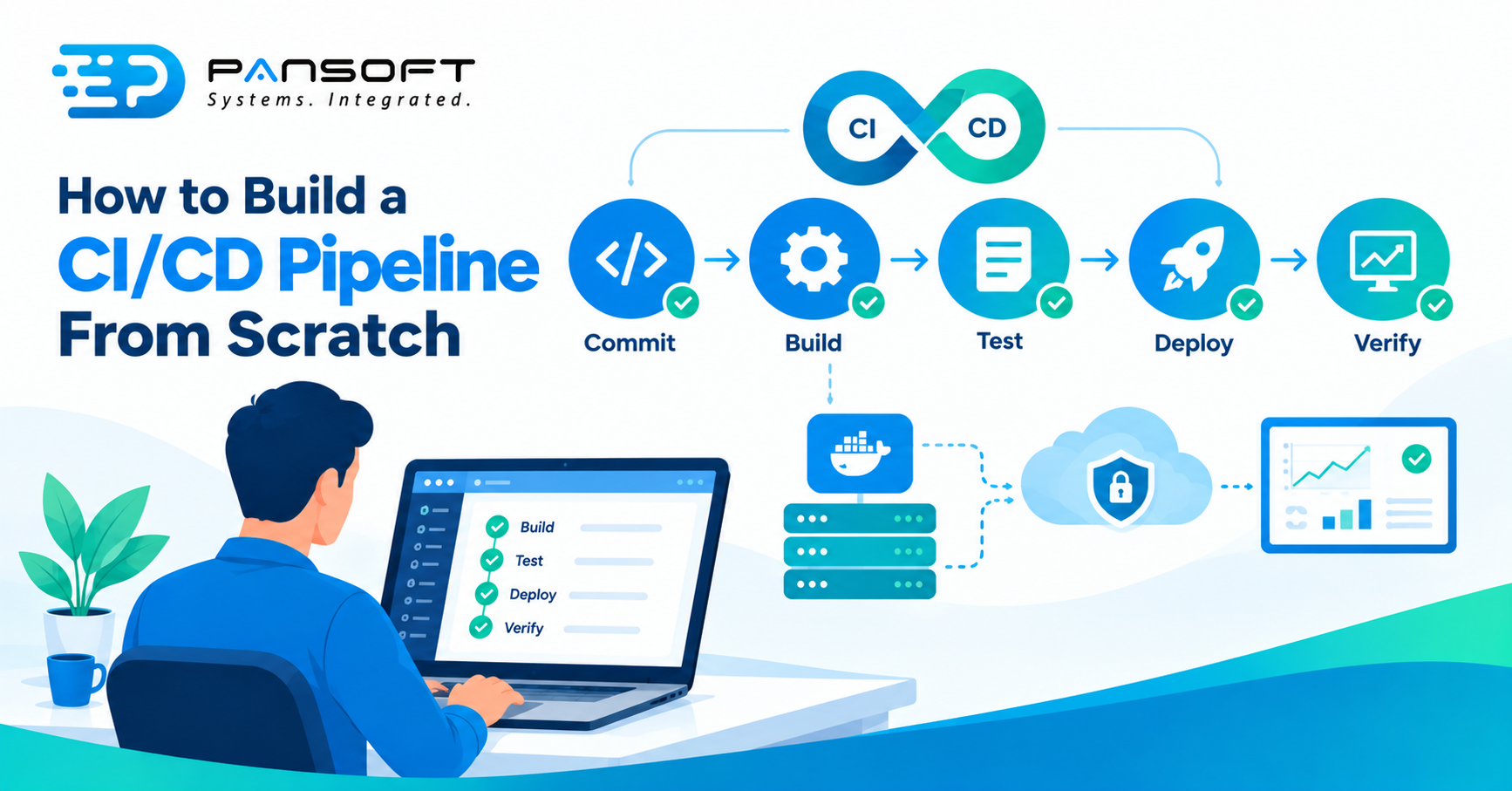
How to Build a CI/CD Pipeline From Scratch
How to build a CI/CD pipeline from scratch: write down your current release steps, keep the code in version control, then automate build, test and deploy one stage at a time on a platform your team already knows. Keep the first version small.
This is for IT managers and owners who release software by hand today and want a sensible order of work. Pansoft’s DevOps page covers the wider service, and its CI/CD page covers pipelines specifically.
What does a CI/CD pipeline actually do?
It turns every change into an automatic sequence: build the software, test it, then deploy it. GitLab describes CI/CD as a continuous method of building, testing, deploying and monitoring iterative code changes, which reduces the chance of building new code on top of broken earlier versions.
| Stage | What runs | What “working” looks like |
|---|---|---|
| Commit | Builds the package, runs unit tests and static analysis | Finishes in minutes, and a failure gets fixed straight away |
| Test | Slower automated tests on the same package | No rebuild between stages |
| Deploy | Releases to each environment | The same process for test and production |
| Verify | A smoke test after deployment | Confirms the application is running and its dependencies are reachable |
That sequence follows the deployment pipeline pattern described on continuousdelivery.com, a site credited to Jez Humble. A small team can start with the first two stages and add the others. Don’t skip the last one.
Step 1: Write down how you release today
List every manual step between “code finished” and “customers using it”. You can’t automate a process nobody has agreed on, and the list shows which steps are slow, risky or live only in one person’s head.
Good CI/CD pipeline design starts with that list, not with a tool. Mark each step as automate now, automate later or remove.
Step 2: Put everything in version control and pick a platform
Everything the pipeline needs, including the pipeline’s own definition, should live in version control. Choose the platform your team already uses.
On GitHub Actions, a workflow is a YAML file in the repository’s workflows folder, started by events such as a push or pull request, and made up of jobs that run on runners. On GitLab, a file at the project root defines stages, typically build, test and deploy, and runners execute the jobs. The names differ. The idea is the same: a file in the repository says what runs, and when.
Step 3: Build once and keep the first stage fast
The first stage should build the deployable package a single time and run quick checks. continuousdelivery.com says to build once so the same artifact is tested and deployed all the way to production, and to keep this commit stage to a few minutes, fixing failures immediately.
A slow first stage is the quickest way to teach a team to ignore the pipeline. Move heavier tests to a later stage.
Step 4: Deploy the same way everywhere
Use one deployment process for every environment, including development, so it’s rehearsed many times before it touches production. The same source recommends keeping environments similar in operating system, middleware versions and configuration, though hardware can differ.
Infrastructure as code helps here. Environments described in files can be rebuilt the same way each time, instead of drifting apart by hand.
Step 5: Add a smoke test and a way back
After each deployment, run a small script that confirms the application is running and its dependencies are available. Then decide what “roll back” means before your first production release.
continuousdelivery.com mentions blue-green deployment as a way to enable rollback, and suggests separating deploying code from releasing a feature, for example with feature toggles. Smaller, more frequent changes also make problems easier to trace.
Step 6: Add security and scale up carefully
Once the basics run, add checks in order of risk. DevSecOps practices such as dependency scanning and secret handling belong inside the pipeline, and so does protecting the pipeline itself. OWASP says CI/CD systems carry code from an engineer’s workstation to production, so guard who can change them and where their credentials live.
If you run containers, container orchestration becomes another thing the pipeline deploys to. Add it after the plain path works. The same pipeline can also create and update environments, which is where cloud DevOps work often heads next.
What does it look like in a small team?
Picture a 15-person software team supporting a freight booking system, deploying by copying files to a server on Friday evenings. This is a hypothetical, not a client story. First comes a pipeline that only builds and runs unit tests on every change. Next, a scripted deploy to a test server. Then the same script to production, with a smoke test.
The Friday ritual shrinks to a button someone else can press.
How do you know it’s working?
Track how long a change takes to reach production and how often you deploy. DORA calls these change lead time and deployment frequency. Its page, last updated in January 2026, warns against setting metrics as targets and against comparing unlike applications. Get a baseline before you start.
What should you ask a provider?
Ask for specifics. Searching for DevOps consulting services Australia wide, or CI/CD pipeline consulting Australia wide, returns plenty of names. If the work feels bigger than your team can carry, Pansoft’s DevOps consulting is a sensible first step, before anyone commits to tools.
- What will you automate first, and why?
- Which platform will you use, and can we run it ourselves afterwards?
- Who owns the pipeline and its credentials once you’ve finished?
- What would you leave out? Good answers include something.
- Can we see it running on real code early?
Quick questions
How long does it take to build a CI/CD pipeline?
A basic build and test pipeline can be small, but one with deployments, environments and security checks takes longer. Scope decides, so be wary of fixed answers. Start with the first stage, then add the next only when the last one is stable.
Which CI/CD tool should we choose?
The one your team already uses for code. GitHub Actions and GitLab CI/CD both define pipelines in files kept with the code, so the principles carry over. Switching later is easier if the steps are documented and the scripts aren’t tied to one platform.
Do we need Kubernetes before building a pipeline?
No. A pipeline can deploy to ordinary servers or hosted services, so don’t wait. Get build, test and a repeatable deploy working first. A container platform is one more target for the pipeline to deploy to, not a prerequisite for having one.
Want to talk it through?
If you’re not sure where to start, there’s no pressure. Pansoft can look at how you release today and suggest a first stage that’s worth automating. You can get in touch whenever suits you.

Related Posts

Enterprise SD-WAN Platform Australia Buyers, Essential Multi-WAN Checks
Enterprise SD-WAN Platform Australia Buyers, Essential Multi-WAN Checks By the Pansoft Technologies team | Published 6 November 2026 | Last reviewed: November 2026 An enterprise…
Read More
What Is Zero-Touch Deployment? Essential Facts for Multi-Site Rollouts
What Is Zero-Touch Deployment? Essential Facts for Multi-Site Rollouts By the Pansoft Technologies team | Published 6 November 2026 | Last reviewed: November 2026 Zero-touch…
Read More