
What Is a Next-Generation Firewall, and How Is It Different From a Standard One?
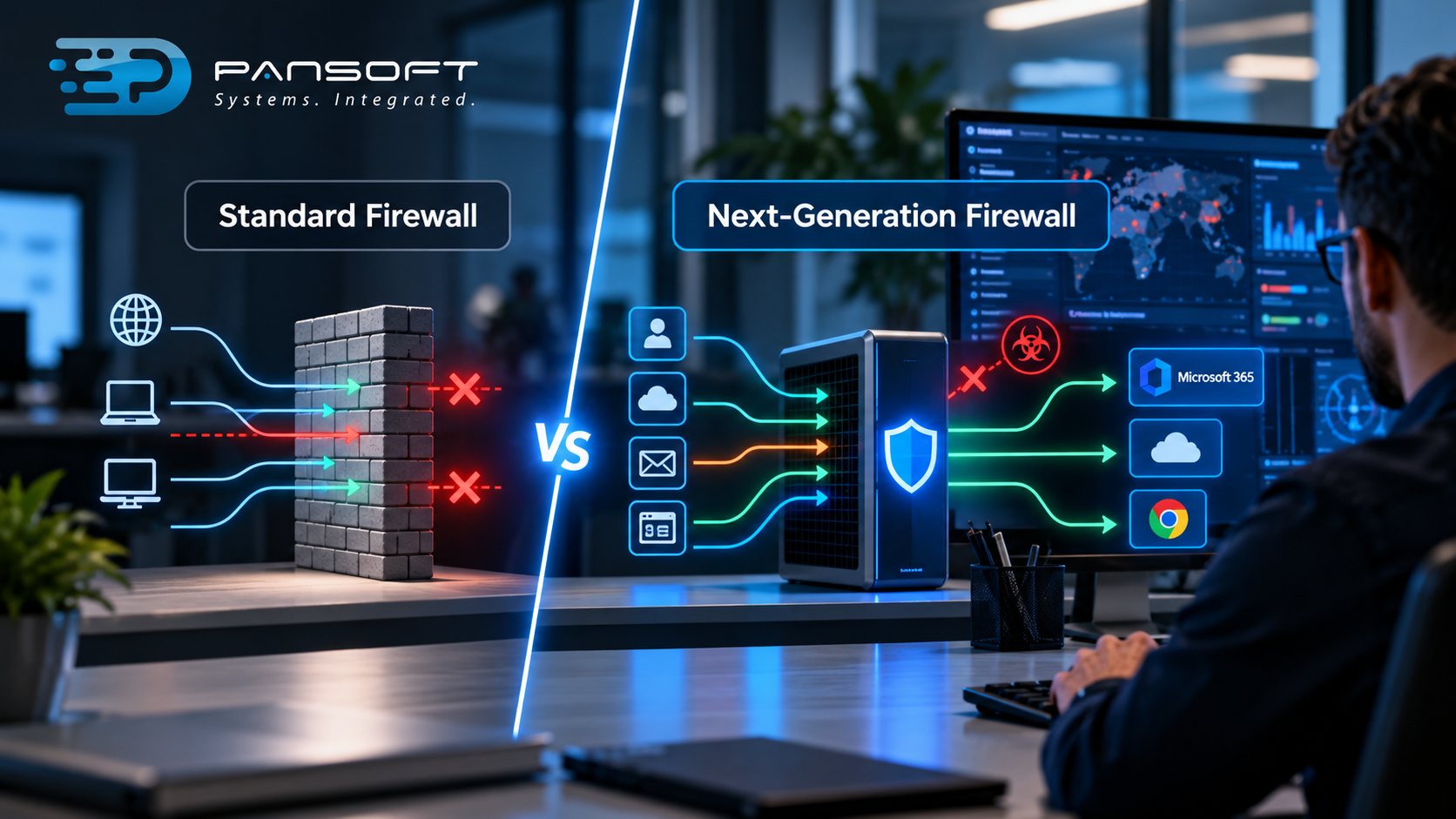
A standard firewall decides what traffic gets through based on addresses, ports and protocols. A Next-Generation Firewall (NGFW) also looks at which application and user the traffic belongs to, and checks it for threats. Most businesses today need the second kind.
What does a standard firewall actually check?
A standard firewall looks at where traffic is coming from, where it’s going and which port it’s using, then allows or blocks it by rule. It also tracks open connections, which is why it’s often called stateful.
Think of a security guard checking the address on an envelope. Fine, that address is on the list, in you go. The guard never opens it.
That worked well when most traffic was simple and predictable. Email on one port, web browsing on another, a few known services in between. Rules were easy to write and easy to read.
Then almost everything started running over the same few ports. Web apps, cloud services, file sharing, remote access. A rule that says “allow port 443” now lets through thousands of different things, some of them harmless and some not.
What does that mean for your business? A standard firewall still does a useful job as a gatekeeper. It just can’t tell the difference between a staff member opening a cloud app and malware phoning home, if both look like ordinary web traffic.
What does a next-generation firewall add?
An NGFW adds awareness of applications, users and content. It can tell Microsoft 365 from a file-sharing site, tie traffic to a person instead of an IP address, and inspect what’s inside the traffic for known threats.
Features vary between vendors and licence levels, but the usual additions are:
- Application control. Allow the business app, block the risky one, even if they share a port.
- User identity. Rules can follow a person or group, not a desk or device.
- Built-in threat prevention. Often includes intrusion detection and prevention (IDS/IPS), which watches for known attack patterns and can block them.
- Inspection of encrypted traffic. Most web traffic is encrypted now, so a firewall that can’t look inside it is partly blind. This feature needs careful setup.
- Threat intelligence feeds. Regularly updated information about known bad sources.
Back to the security guard. This one opens the envelope, checks who sent it and compares the contents against a list of known problems. Slower, yes. Far harder to fool.
How do the two compare side by side?
A standard firewall filters by address and port. An NGFW filters by application, user and content as well. The table shows the general split, though individual products differ.
| Standard firewall | Next-generation firewall | |
|---|---|---|
| Decides based on | Address, port, protocol | Application, user, content, plus the basics |
| Application awareness | None | Yes |
| User-based rules | Rarely | Usually |
| Threat inspection | Minimal | Often built in, including IDS/IPS |
| Encrypted traffic | Can’t see inside | Can inspect, if configured |
| Setup effort | Lower | Higher |
| Performance demands | Lighter | Heavier, varies by hardware |
Notice the last two rows. NGFWs aren’t magic boxes you plug in. Inspection costs processing power, and the hardware has to be sized for your traffic, not just your internet speed. A firewall that’s too small will either slow everyone down or get its features switched off to cope, which defeats the purpose.
Do you actually need one?
Most businesses with cloud apps, remote staff and more than a handful of devices should want one. A very small, simple office may get by with a well-configured standard firewall, at least for a while.
Some gut-checks:
- Staff use lots of cloud apps. Application awareness earns its keep.
- You’ve got remote workers or several sites. You’ll want consistent rules across all of them.
- You hold customer or financial data. More reason to inspect traffic, not just filter it.
- Your current firewall rules haven’t been reviewed in years. That’s a headache waiting to happen, whatever the box is called.
- A tender, insurer or contract asks about network security controls. Worth checking what they’ll accept.
Compliance needs a straight word. Cyber security compliance Australia depends on your industry and your contracts, and details change, so check what actually applies to you rather than assuming a product covers it. The Essential Eight is a related point. It’s a set of mitigation strategies from the Australian Cyber Security Centre, not a product list. A firewall supports good security, but it doesn’t replace patching, multi-factor authentication or backups, and no amount of firewall tuning makes up for skipping them.
Not sure where your network stands? A security assessment will tell you more than a sales call, and it’s usually cheaper than buying the wrong box.
What goes wrong with firewall upgrades?
Most problems come from rollout, not from the technology. Features get switched off, rules get copied across without review, or nobody owns the thing after it’s installed.
- Copying old rules straight across. Years of “temporary” exceptions come along for the ride.
- Features licensed but never enabled. The threat prevention is paid for and quietly off.
- Skipping encrypted traffic inspection because it was fiddly. Then most of the traffic goes uninspected.
- Undersized hardware. Everything’s fine in testing, then slow at 9am on Monday.
- No one watching the logs. The firewall records everything, and nobody reads it.
- Forgetting to update. Firmware and threat feeds need regular attention.
That last point matters more than it sounds. A firewall that blocks threats but nobody looks at is half a control. Someone needs to review alerts, tune rules and act when something looks wrong. That’s the threat detection and response side, and the box can’t do it for you.
You can read how Pansoft approaches network protection on the firewall and network security page.
Should you run it yourself or have it managed?
If you have network staff with time to tune rules, patch firmware and watch alerts, running it yourself can work. If IT is two people wearing six hats, managed is the more realistic route.
Managed firewall services Australia wide tend to sound alike, so ask the practical questions. Who changes the rules, and how fast? Who reviews the alerts after hours? Can you see the same dashboards the provider sees? What happens to your configuration if you leave?
Be wary of anyone who talks only about hardware. The box is the easy bit. The hard part is the ongoing care, and that’s where managed services earn their fee or don’t.
Whichever route you take, have a plan for when something goes wrong. Incident response planning, meaning who gets called, who can block traffic or isolate a site and when customers are told, should exist before the alert. 3am is a poor time to draft one.
If you’re comparing firewall services Australia providers, get quotes based on your actual environment, not a generic package. Pricing and licence tiers vary a lot between vendors.
A firewall is one layer in a bigger picture, and the rest of that picture sits under cyber security.
Quick questions
Is a next-generation firewall the same as an antivirus?
No. A firewall controls and inspects traffic crossing your network, while antivirus protects individual devices. They work at different points, which is why most businesses run both.
Will a next-generation firewall slow down my network?
It can if the hardware is undersized, because inspection takes processing power. Choose a model sized for your actual traffic with the features switched on, and test it before relying on it.
Do I need to replace my standard firewall to get these features?
Not always. Some existing firewalls can be upgraded with licences or software, while others need new hardware. Check your current model’s capabilities and support status before deciding.
Want to talk it through?
If you’re weighing this up, no pressure at all. Pansoft can look at what you run now, where the gaps are and whether a simple upgrade or a managed setup makes sense. You can get in touch whenever suits you.
Learn more about cyber security services in Australia.

Related Posts

Enterprise SD-WAN Platform Australia Buyers, Essential Multi-WAN Checks
Enterprise SD-WAN Platform Australia Buyers, Essential Multi-WAN Checks By the Pansoft Technologies team | Published 6 November 2026 | Last reviewed: November 2026 An enterprise…
Read More
What Is Zero-Touch Deployment? Essential Facts for Multi-Site Rollouts
What Is Zero-Touch Deployment? Essential Facts for Multi-Site Rollouts By the Pansoft Technologies team | Published 6 November 2026 | Last reviewed: November 2026 Zero-touch…
Read More