
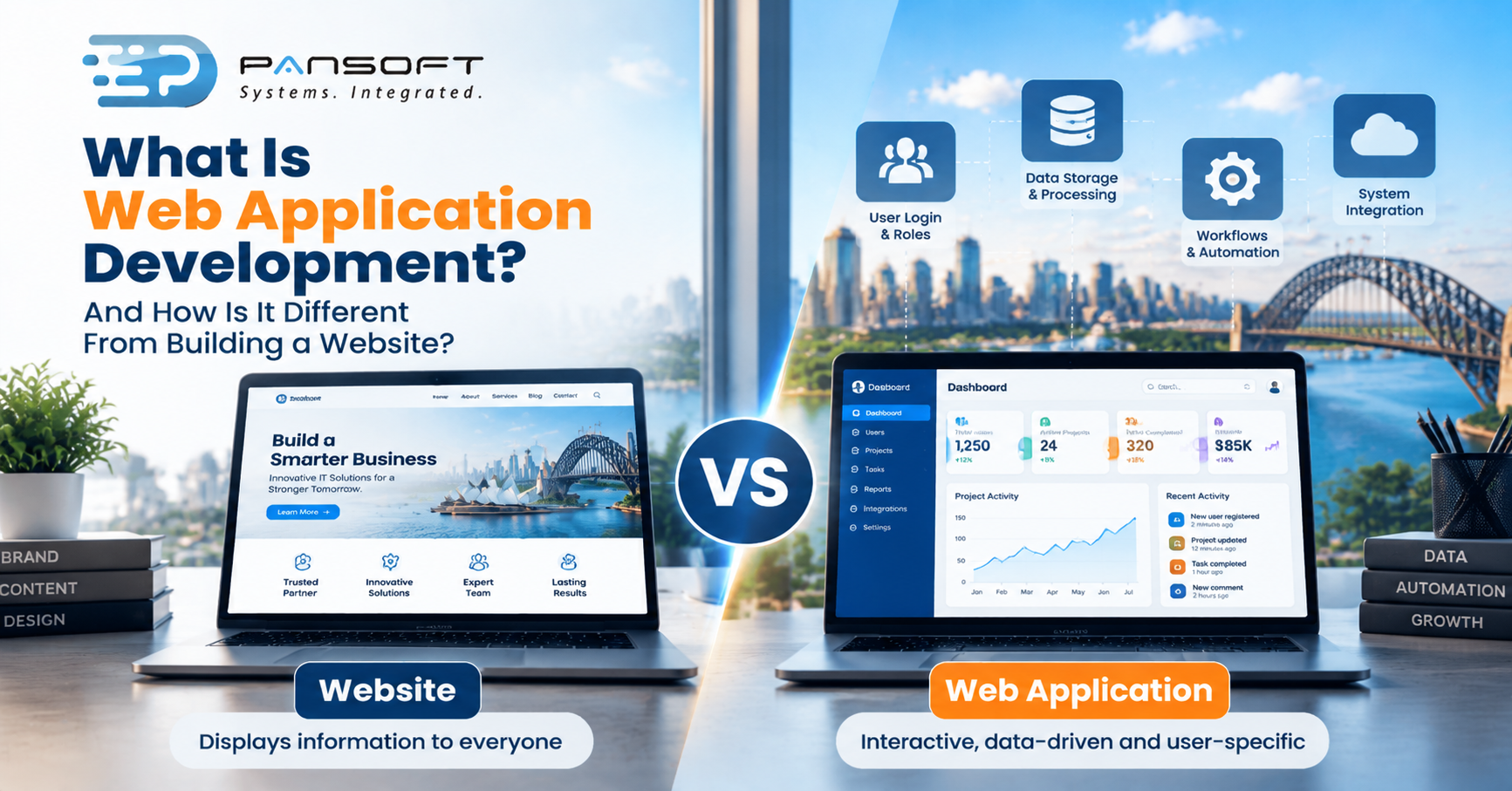
What Is Web Application Development, and How Is It Different From Building a Website?
By the Pansoft Technologies team | Published 20 October 2026 | Last reviewed: October 2026
What is web application development? It’s building software that runs in a browser and does work for each signed-in user, where a website mainly publishes content. The test: does it remember, process and respond to each user, or just show pages?
This is for owners and managers who’ve been told “you need an app, not a website” and want to know what that means before they spend money.
How is a web application different from a website?
A website shows the same information to everyone. A web application changes what it shows based on who you are, what you’ve entered and what’s stored behind it, and it can act on that data.
MDN, Mozilla’s web documentation, draws the line between static sites that hand back the same file for each request and dynamic sites that assemble a response on demand, usually by pulling data from a database. That same address can show different things to different people. It can also keep a record of a user and limit access to those allowed to see something.
Banks are MDN’s own example. Your account page isn’t a page someone wrote once. It’s built for you, when you ask, and nobody else gets to see it.
Where’s the line in practice?
It’s a spectrum, not a switch. A brochure site sits at one end. A booking system, a client portal or a quoting tool sits at the other. Plenty of businesses are somewhere in between without realising.
You probably need a web application if any of these are true:
- People log in and see different things.
- Staff or customers enter data that has to be stored, checked and acted on, such as orders, bookings or job updates.
- Calculations or approvals happen behind the screen, not in someone’s head.
- It has to share data with other systems, so nobody re-types it.
- Reports are needed from what users enter.
If none apply, a well-built website, perhaps with a content management system, is usually the better and cheaper choice. Don’t build an application to publish opening hours.
How does it compare with a mobile app?
A web application runs in the browser on any device. A mobile app is installed on a phone. Progressive web apps sit between the two. MDN describes them as apps built with web technology that behave like platform-specific apps.
| Static website | Web application | Progressive web app | Mobile app | |
|---|---|---|---|---|
| Runs in | Browser | Browser | Browser, can be installed | Installed on the device |
| Different content per user | No | Yes | Yes | Yes |
| Works offline | Rarely | Usually not by default | Can, with extra work | Often |
| One codebase across devices | Yes | Yes | Yes | Usually separate per platform |
MDN says progressive web apps can be installed, work offline and send notifications, while still coming from a single web codebase. That makes them worth a look before you commit to separate mobile builds.
Choose a web application when users are mostly at a desk or on a mix of devices. Look at mobile app development when you need the camera, location or reliable offline use out in the field. For how these choices fit into a wider system, see Pansoft’s software development page.
What does building one actually involve?
More than design and code. You’re also deciding how people sign in, where data lives, how it’s backed up, how updates get released and who fixes things at 3pm on a Friday.
Security belongs in that list from the start. The OWASP Top 10 is the common reference for serious web application security risks, with a 2025 edition current as at October 2026. OWASP calls it an awareness document and a first step towards secure coding, not a full checklist. Use it to shape testing, then add risks specific to your system.
The ongoing costs are the ones people skip. Hosting, patching, backups and support continue after launch, so ask about them in the first conversation, not the last.
When is a custom build worth it?
Custom web application development earns its cost when your process is specific, a template or plugin would need heavy bending, and the system is something people depend on. If a bought tool covers most of it, buy it.
Pansoft’s web development page lists custom builds alongside integration, modernisation and security work. Whoever you use, ask what you’d own at the end, and whether you could hand the system to another team later.
Where do cloud-native and legacy systems fit?
They matter once the application has to grow or connect to older systems. Cloud-native web applications are designed to run in the cloud from the start, which the Cloud Native Computing Foundation describes as building from small, loosely connected parts that stay secure, recover from faults and are easy to run and monitor.
That’s a design choice, not a badge. A small internal tool with steady use often doesn’t need it, and a simpler design can be cheaper to run.
Picture a 25-person training provider whose enrolments live in spreadsheets and an old booking tool. This is a hypothetical, not a client story. A web portal could take enrolments, but the old booking data still needs to flow in. Legacy system integration handles that handover without a risky switch-over day, and enterprise application modernisation can retire the old tool later, once the new portal has proved itself.
How do you choose a provider?
Ask for specifics, not slogans. Searching for web application development Australia wide will bring up plenty of firms, and a local studio doing custom software development Gold Coast businesses can meet in person is one option among them.
Whoever you shortlist, ask these:
- Who writes the code, and where?
- Who owns it when you’re done?
- How is security tested?
- What will we see in the first few weeks? Agile delivery Australia wide should mean something working early, not a status report.
- What happens after launch? Support, patching and who answers the phone.
Quick questions
Can a website be turned into a web application later?
Often, yes. Many web applications grow from a website, adding logins, data storage and workflows over time. It helps to plan for this early, keeping content, data and integrations separate, so adding features doesn’t mean rebuilding from scratch. Ask any provider how they’d phase it.
Do I need a web application or a mobile app?
Start with who uses it and where. If most users are at a desk or on varied devices, a web application is often enough. If staff need the camera, location or reliable offline use out in the field, look closer at a mobile app.
Is a web application more work than a website?
Usually. A website mainly publishes content, while an application also handles sign-ins, stored data, permissions and processing. That means more to design, test and look after. If you only need to publish information, a website stays the simpler option. Ask what upkeep involves after launch.
Want to talk it through?
If you’re not sure whether you need a website or a web application, there’s no pressure. Pansoft can look at what you’re trying to do, suggest the simplest approach that works and explain why. You can get in touch whenever suits you.

Related Posts
ERP Workflow Automation Explained: What Gets Automated First
Start with approvals, invoice matching, and the repetitive data entry your team repeats every day. Those workflows carry the most delay and the most errors, and automating them changes nothing about how the business thinks. ERP Workflow Automation pays off fastest when you automate one proven process at a time, measure the result, and only then move to the next.
Read More
Custom ERP Development vs Standard ERP Software: When Custom Actually Wins
Custom ERP wins when the way you run the business is the reason customers choose you, and a standard package would force you to reshape proven processes to fit the software. For most organisations, a standard ERP with careful configuration is faster to launch, simpler to maintain, and the right call. Custom ERP Development Australia is worth the investment only when your processes are genuinely different, not just familiar.
Read More