
ERP Data Migration: What Actually Goes Wrong and How to Avoid It
Data migration services move your records from old systems into the new ERP. Most failures trace back to three things: dirty data, no named owner, and no proof the data moved correctly. Fix those before go-live and the technical move is rarely the hard part.
This is for finance, operations and IT leaders about to replace an ERP, or already in the middle of it. You’ll get the failure points to watch, a way to decide what to move, and questions to put to any provider.
What does ERP data migration actually involve?
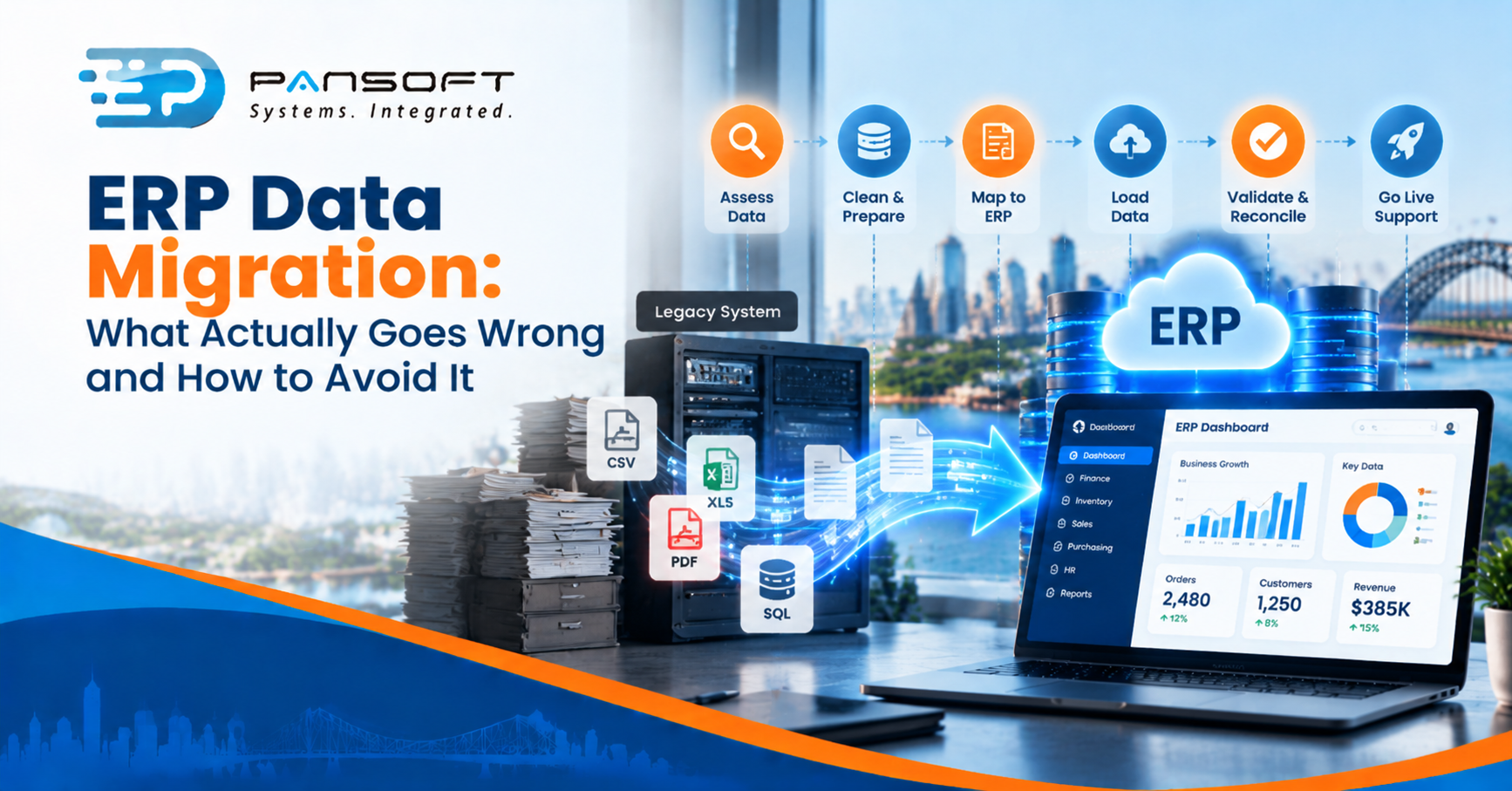
It’s a chain of six jobs: assess what you have, clean it, map it to the new system, load it, reconcile it against the old system, and rehearse the cutover. Skipping any link is how problems reach go-live.
Pansoft’s ERP solutions page describes its data migration work as assessment, cleansing, validation, historical import and go-live support. That order matters. Loading comes after cleaning, not before it.
What actually goes wrong?
The causes are usually about people and timing, not software. Here are the five we’d check first.
- Nobody owns the data. IT assumes the business will clean it. The business assumes IT will.
- Cleaning starts late. Duplicate customers, old suppliers and mismatched codes get found in the final weeks, when there’s no time left.
- Mapping ignores process changes. If approval flows, cost centres or product structures change, the old data won’t fit the new design without rework.
- No evidence it worked. Totals look right, but nobody reconciled the opening balances line by line.
- One cutover, no rehearsal. The first full load happens on go-live weekend.
The Audit Office of New South Wales reviewed the state’s large SAP-based shared services program in its State Agencies 2024 report, as covered by iStart. It found data migration plans, tests, reconciliations and milestone sign-offs were missing or late. That’s a huge program, so don’t treat it as a forecast for yours. But the failure was the same one: missing proof.
Picture a 50-person wholesaler migrating from a ten-year-old system. Customers appear twice under slightly different names, and open orders carry old product codes. Nothing breaks on day one, but invoices go to the wrong accounts for weeks. That’s a hypothetical, and an avoidable one.
How do you decide what to move?
Move what the business needs to run and report, and archive the rest. Bringing everything across feels safe but adds cleaning work, load time and risk. The right option depends on how much history you must keep live.
| Approach | Suits | What to watch |
|---|---|---|
| Move everything | Small, tidy data sets and strict audit needs | Cleaning effort grows with every year of history |
| Open items plus summary balances | Most mid-sized businesses | Reports needing detailed history must come from somewhere else |
| Move current data, archive history separately | Long histories and heavy legacy data | You need a way to search the archive, and someone to own it |
Most mid-sized businesses land on the middle row. If you can’t name who’ll ever look at ten-year-old transactions, don’t pay to migrate them.
There’s a privacy angle too. Under Australian Privacy Principle 11, organisations must take reasonable steps to destroy or de-identify personal information once it’s no longer needed, unless a law or order requires them to keep it. The OAIC guidance also covers backups and archived copies, and says to check that a third-party storage provider has actually done what you asked. A migration is a good moment to decide what personal data is worth carrying forward at all. Check your retention duties with your own legal adviser.
What do the platform’s own tools do, and not do?
They load data. They don’t fix it. SAP’s S/4HANA migration cockpit, for example, comes with migration object templates, maps source data to the target automatically, runs validation checks in the background, and supports loading through staging tables. SAP says there’s no additional cost to use it. It also offers direct migration from an SAP system over an RFC connection.
Useful, but notice what’s missing: nothing there decides which customers are duplicates or which suppliers are dead. That’s your clean-up job, and it’s where time goes. Our SAP services include S/4HANA migration, and the Oracle page lists Oracle data migration, so ask whichever platform you’re on how its tooling fits your data and what it won’t cover.
How do process changes and customisation affect the migration?
They change what “correct” means. If you’re redesigning workflows as part of business process transformation, the target data structure changes, and the migration plan has to change with it. Agree the new processes before you finalise the mapping, not after.
ERP customisation and integration add another layer. Custom fields need migrated data that fits them, and every connected system, such as payroll, CRM or banking, needs testing with real migrated records, not sample data. When you compare ERP implementation services Australia providers, ask who owns each of these, because the answer shows how the work is split.
What should you do next?
- Name one business owner for each major data set, such as customers, suppliers, products and balances.
- Profile your data now, before the project, to see how messy it really is.
- Decide what you’ll move, what you’ll archive and what you’ll retire.
- Plan at least one full rehearsal load with reconciliation before cutover.
- Agree what “reconciled” means in writing, including who signs it off.
- If you want a second view, ask for a data assessment before you commit to a go-live date.
Frequently asked questions
How long does ERP data migration take?
It depends on data volume, how clean it is, and how many rehearsals you run. Cleaning usually takes longer than loading. Ask your provider for a plan that shows cleaning, mapping, rehearsal loads and sign-off as separate steps, not one block.
Should we migrate all our historical data?
Usually not. Move what you need to run the business and report, and archive the rest where it can still be searched. Check any legal retention duties first, and remember that personal information you no longer need may need to be destroyed or de-identified.
Who is responsible for data quality?
Your business is. A provider can profile, cleanse and load data, but only you know which customers are real and which balances are right. Name an owner for each data set early, so decisions get made quickly when questions come up.
Want a second opinion on your migration plan?
If you’re planning an ERP move and want a straight view on the data side, get in touch with Pansoft on (07) 5646 4560 or through the contact page. There’s no pressure. We’re happy to read your plan and point out where the gaps are.

Related Posts

Enterprise SD-WAN Platform Australia Buyers, Essential Multi-WAN Checks
Enterprise SD-WAN Platform Australia Buyers, Essential Multi-WAN Checks By the Pansoft Technologies team | Published 6 November 2026 | Last reviewed: November 2026 An enterprise…
Read More
What Is Zero-Touch Deployment? Essential Facts for Multi-Site Rollouts
What Is Zero-Touch Deployment? Essential Facts for Multi-Site Rollouts By the Pansoft Technologies team | Published 6 November 2026 | Last reviewed: November 2026 Zero-touch…
Read More