
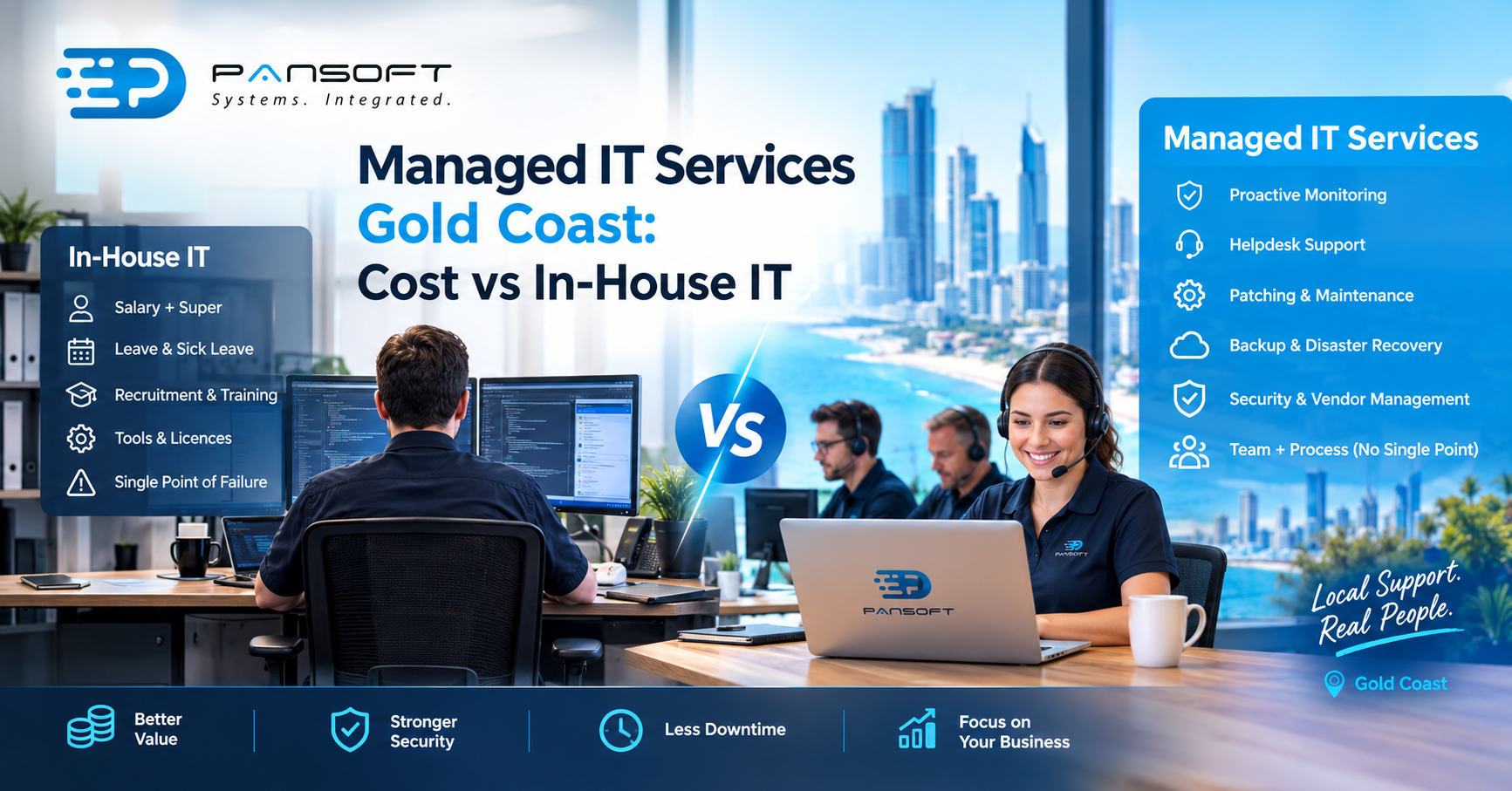
Managed IT Services Gold Coast: Cost vs In-House IT
Managed IT services Gold Coast businesses rely on usually work out cheaper than an in-house team, because you pay for capability rather than a salary, super, leave and a single point of failure. The exception is when IT is central to what you sell, or your workload keeps several people busy.
That is the short answer. The rest of this article shows where the money goes on each side, so you can run your own numbers instead of taking a provider’s word for it. If you would rather talk it through with someone, Pansoft’s team on the Gold Coast offers a free consultation.
What an in-house IT hire really costs
The salary is the visible line, and it is the one most people budget around. It is also the smallest part of the picture.
On top of wages, employers pay a minimum 12% super guarantee, in place since 1 July 2025. Then come annual leave, sick leave, recruitment time, training, certifications, and the tools your person needs to do the job: monitoring software, licences, a device fleet manager, a ticketing system. A fair in-house IT team cost comparison starts with the full employment cost of each role, not the advertised salary.
Then there is coverage, which is where in-house budgets usually break. One person cannot be on leave and on call at the same time. They also cannot be equally strong at helpdesk work, network design, cloud, security and vendor management. So the choice is rarely one hire versus a provider’s fee. It is two or three hires, or one hire with gaps you have quietly agreed to live with.
Turnover matters too. When your only IT person resigns, the passwords, the undocumented workarounds and the history of why things were set up a certain way leave with them.
What you pay for with managed IT on the Gold Coast
A managed provider replaces that single person with a team and a process. The fee typically buys proactive monitoring, helpdesk support, patching and maintenance, backup, and someone to deal with your software vendors when something breaks. Pansoft, for example, describes its managed service as proactive monitoring, technical support, maintenance and backup under one arrangement, with 24/7 support.
The fee is not a magic number, though, and you should read what sits outside it. Projects such as office moves or migrations, hardware, software licences and after-hours callouts are sometimes billed separately. Ask for the inclusions in writing and compare providers on scope, not on the monthly figure alone.
Security is the other line worth pricing carefully. A single hire rarely has the time to run threat monitoring, and specialist tools are expensive to license for one small team. A provider spreads that cost across many clients. If security is your main worry, look at how a provider handles cyber security services as part of the agreement rather than as an afterthought.
Location matters less than people assume, because most faults are fixed remotely. What is worth checking is whether a provider can attend site when hardware or cabling is involved. The IT support Gold Coast businesses actually need is usually that mix: fast remote fixes for everyday problems and a local visit for the occasional physical job. If you have offices in other states, outsourced IT services Australia wide can cover every site under one agreement instead of a patchwork of local contractors.
When keeping IT in-house still makes sense
Managed IT is not always the cheaper answer. In-house tends to win in three situations.
- IT is the product. If you build and run software or infrastructure as your core business, your engineers are the business, not overhead.
- The workload is large and steady. When several people would be fully occupied every day, the provider’s margin becomes the difference you are paying for.
- Your systems are highly specialised. Deep knowledge of a bespoke platform is hard to buy in and worth keeping close.
Most businesses sit somewhere in between, which is why co-managed arrangements are common. You keep one internal person who knows your processes and your people, and a provider covers helpdesk depth, security, after-hours and leave. That person stops being a bottleneck, and the provider stops being a stranger.
Cloud changes the maths as well. Once your systems run on managed platforms, a good part of the traditional infrastructure workload goes away, and you need fewer hands to keep things running. It is worth understanding how cloud migration and management work before you decide how large an internal team you actually need.
How to run the comparison yourself
Keep it simple and put everything on one page.
- Total employment cost. Add wages, super, leave, recruitment and training for every role needed to cover your hours.
- Tools and licences. List everything an internal team would need to buy and maintain.
- Coverage gaps. Note what happens during leave, illness, after-hours incidents and resignation.
- Provider scope. Get inclusions and exclusions in writing, including project work and hardware.
If you work with government or enterprise customers, add a fifth line: what they will ask you about security and certification. Pansoft holds ISO 27001 certification and has worked with private enterprises and government agencies for over a decade, which you can read about on the about page.
Common questions
Is managed IT cheaper than hiring one IT person?
Usually, once you count super, leave, tools and coverage for absences. A single hire costs less than a full team, but you also get less: one skill set, one set of hours and no backup. The fair comparison is the cover you need, not the headcount.
Can I keep an internal IT person and still use a provider?
Yes, and many businesses do. Your internal person handles business-specific systems and relationships, while the provider covers helpdesk volume, security monitoring and after-hours support. It also removes the risk of relying on one individual for knowledge nobody else holds. This is often called a co-managed model.
What should I ask a managed IT provider before signing?
Ask what is included and excluded, how quickly they respond, who your contact is, how they handle security incidents, and how you can leave the contract. Get the answers in writing, then compare two or three providers on scope rather than price alone.

Related Posts
What Makes an IT Company Trustworthy for Government and Enterprise Work?
What Makes an IT Company Trustworthy for Government and Enterprise Work? A trustworthy IT company for government and enterprise work has three things most decision-makers…
Read More
Signs Your Business Has Outgrown Its Current IT Support
Signs Your Business Has Outgrown Its Current IT Support If tickets are taking longer to close, your team keeps hitting the same recurring issues, and…
Read More