
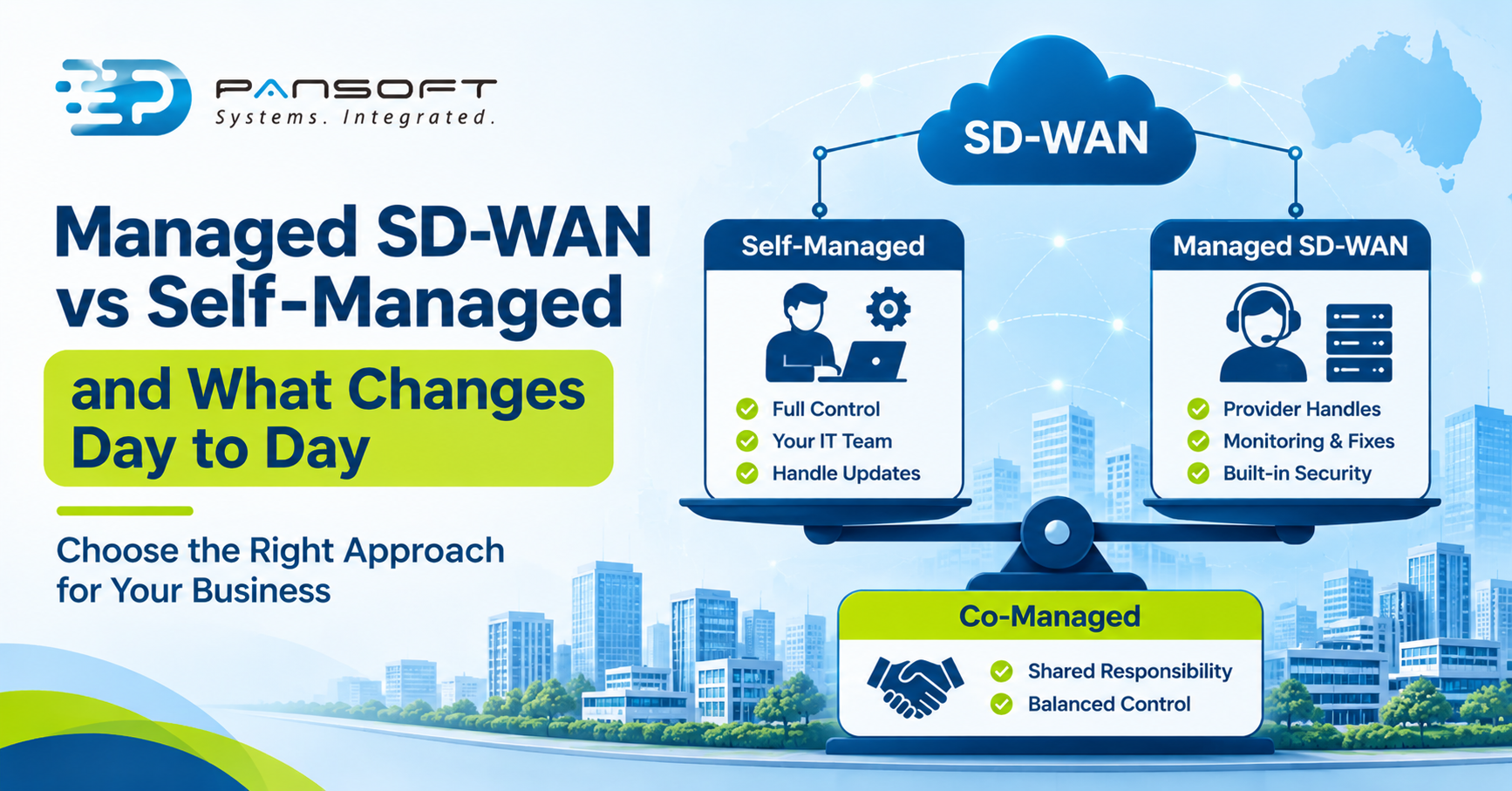
Managed SD-WAN vs Self-Managed and What Changes Day to Day
Managed SD-WAN Services give a provider the daily running of your SD-WAN: monitoring, upgrades, fault fixing and often security. Self-managed keeps all of that, and the control, with your team. Neither wins by default. It depends on your team’s skills and appetite for change.
This is for IT leads and owners choosing who should run the WAN once it’s built. It builds on our enterprise networking guides.
What does self-managed SD-WAN actually involve?
Your team does everything. Palo Alto Networks, a vendor, describes DIY SD-WAN as managing and configuring the SD-WAN infrastructure internally, including setup, configuration and traffic policy. You get more control and customisation, but it takes real time and expertise.
The day-to-day jobs are less glamorous than the setup. Cisco’s documentation gives two examples. Control components need signed certificates, and its certificate guide says control connections can’t be completed without valid ones and are disabled if a certificate is missing or expired. Renewal needs planning, ideally one certificate at a time in a maintenance window.
Upgrades have their own routine. In Cisco’s controller upgrade document, controllers are upgraded in a set order, half the vSmart controllers first and then a monitoring period of at least 24 hours. It recommends a database backup and snapshots before starting, because vManage doesn’t support CLI downgrades. Other vendors differ, but every platform has chores like these, and somebody has to own them.
What do managed SD-WAN services take off your plate?
The routine work. In Palo Alto’s description, a fully managed provider takes responsibility for deployment, monitoring, troubleshooting and security, usually under service level agreements. You stop worrying about certificate dates and upgrade windows, and a provider team does it as part of the service.
A 2019 Network World article gives the two practical reasons people buy it: it’s faster to implement, and it covers the skills, training and bandwidth your staff may not have across every site. That’s still the core of the pitch. A managed service is mainly a way to buy time and skills.
What do you give up?
Some control, some flexibility, and possibly some fit. The same article says handing control to a third party can be an issue, depending on regulations and data sensitivity. In a DIY setup, it adds, IT staff can respond quickly to changing business conditions.
Palo Alto also says managed models can offer strong security but might not meet specific compliance needs as well as in-house management. Neither source puts a number on any of this, so test it against your own requirements. If a policy change takes your provider two days and your team could do it in ten minutes, that gap is the cost.
Where does co-managed fit?
It splits the work. Palo Alto describes co-managed as the provider handling technical tasks while your team keeps day-to-day operations and policy decisions. For many multi-site businesses it’s a sensible middle, because the risky chores go to specialists and the quick decisions stay with you.
SD-WAN consulting can help you decide where to draw that line, and it’s worth drawing it deliberately. The aim is a split you can describe on one page.
| Daily task | Self-managed | Fully managed | Co-managed |
|---|---|---|---|
| Policy and traffic changes | Your team | Typically the provider, by request | Your team |
| Monitoring and fault fixing | Your team | Provider, under an SLA | Provider’s technical team, with your input |
| Upgrades and certificates | Your team | Provider | Provider |
| Security configuration | Your team | Provider, scope to confirm | Shared, as agreed |
This summarises the three models as Palo Alto describes them, with our reading of what’s typical. Contracts vary, so use the questions below as the real test.
What should a managed SD-WAN contract say?
It should name who owns what. A joint advisory from the Australian Cyber Security Centre and its partners, dated 11 May 2022, says contracts should specify who owns hardening, detection and incident response, and how the provider notifies you of incidents. It also says contracts should require multi-factor authentication on provider accounts.
A secure SD-WAN is the result of those decisions being written down, not a product label. The same thinking belongs in your network security architecture, which should say how traffic is inspected and who can change the rules. And at exit, the advisory says provider accounts should be disabled once they no longer manage your infrastructure.
What might this look like in practice?
This is a hypothetical, not a client story. Picture a firm with a head office and twelve small sites, and one IT person who also runs the helpdesk. Self-managing the WAN means the certificate renewal, the upgrade window and the policy changes all fall on that person, alongside everything else.
They choose co-managed. The provider handles upgrades and fault fixing, and the IT person keeps policy changes for new applications. It isn’t free, and it takes a clear handover. But the one person stops being the single point of failure.
What should you ask a provider?
Whoever you speak to, these questions matter more than the brochure:
- Who does each task? Ask for the table above, filled in for their service.
- How fast are policy changes? Get a time, not a promise.
- What’s in the SLA? Response and fix times, and what happens if they’re missed.
- Who can see the configuration? You should always hold a copy.
- What happens at the end? How do the equipment, configuration and accounts come back to you?
Our SD-WAN Services Australia page is a good place to start, and our network infrastructure work shows how the WAN fits the wider design. Settle this early in the design, whether it’s enterprise network design Australia wide or a single SD-WAN deployment Australia project. Servers in a data centre belong on the same responsibility map, which is where data centre infrastructure services come in.
Quick questions
Is managed SD-WAN more expensive than self-managed?
Not necessarily. The Network World article says the calculation between DIY and managed services is far from clear-cut, and quotes an analyst who cautions that after access and add-on charges a managed route may save little or nothing. Compare your staff time, not just the invoice.
Can a small IT team run SD-WAN itself?
Sometimes. Palo Alto says the DIY approach may not suit smaller businesses or those without a dedicated IT team. The question is whether your staff have the skills, training and spare capacity to maintain devices at every site, not only to install them once.
How long are managed SD-WAN contracts?
The 2019 Network World article said typical contracts ran three to four years, which meant buyers needed strong confidence in the relationship. That’s old, so ask each provider for their current term, the notice period and how you’d leave. Contract length matters as much as price.
Want to talk it through?
If you’re weighing up who should run your SD-WAN, get in touch and tell us what you run today. We’ll give you an honest view on which model fits, and no pressure either way.

Related Posts

Enterprise SD-WAN Platform Australia Buyers, Essential Multi-WAN Checks
Enterprise SD-WAN Platform Australia Buyers, Essential Multi-WAN Checks By the Pansoft Technologies team | Published 6 November 2026 | Last reviewed: November 2026 An enterprise…
Read More
What Is Zero-Touch Deployment? Essential Facts for Multi-Site Rollouts
What Is Zero-Touch Deployment? Essential Facts for Multi-Site Rollouts By the Pansoft Technologies team | Published 6 November 2026 | Last reviewed: November 2026 Zero-touch…
Read More