
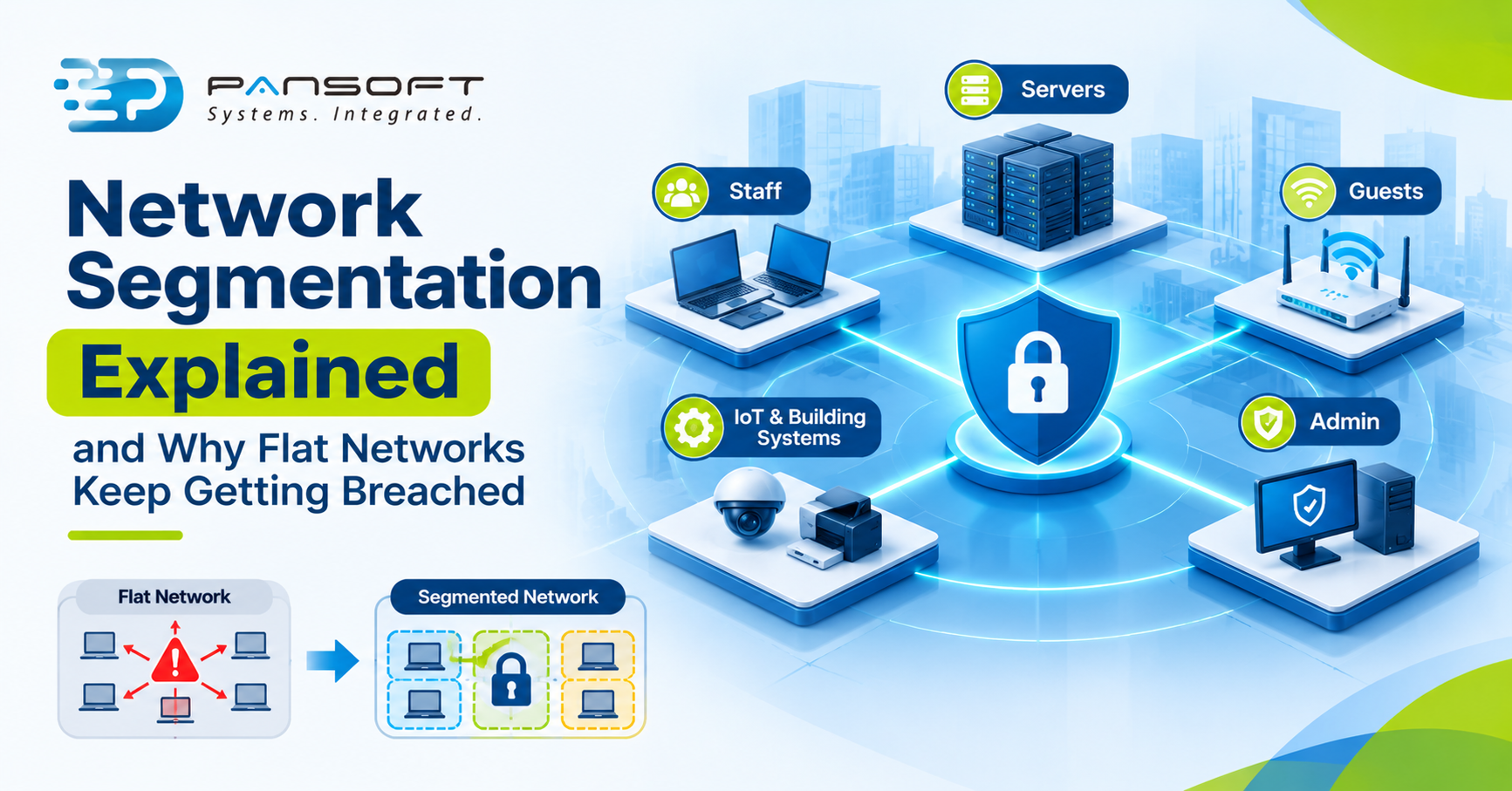
Network Segmentation Explained and Why Flat Networks Keep Getting Breached
Network segmentation Australia businesses can run in practice means splitting your network into zones with rules between them, so one compromised device can’t reach everything. A flat network has no such walls, which is why a single breach can spread.
This is for IT managers and business owners deciding whether their network needs zones. It supports our enterprise networking services page.
What is Network segmentation Australia , in plain English?
It’s dividing one big network into smaller zones, then controlling what can pass between them. Think of an office where every door is locked and staff hold only the keys they need, instead of one master key that opens everything.
NIST describes one way to do it as placing individual resources or groups of resources on their own network segment, protected by a gateway that shields them from unauthorised access. New Zealand’s Information Security Manual adds that segmentation limits an attacker’s movement between zones and helps isolate faults.
Why do flat networks make a breach worse?
Because nothing stops the second step. On a flat network, any device that gets compromised can usually see and try every other device, so an attacker who gets one foothold can keep going.
NIST’s Zero Trust Architecture publication says the quiet part plainly: once attackers breach the perimeter, further lateral movement is unhindered. It also says the enterprise private network shouldn’t be treated as an implicit trust zone. We haven’t quoted a breach statistic for Australia, because we couldn’t verify a current one. The mechanism is what matters, and it’s well documented.
How should you plan network segmentation into zones?
Start from what needs protecting, not from the switches. Group systems by what they do and how much damage their loss would cause, then decide who and what may talk to each group.
The table below is our suggested starting point, not a standard. Adjust it to your business.
| Zone | What usually lives there | Rule to write down | Watch for |
|---|---|---|---|
| Staff | Laptops, desktops, phones | May reach approved servers and the internet | Staff devices reaching each other freely |
| Servers | File, application and database servers | Accept only the connections each service needs | A blanket “allow any” rule |
| Guests | Visitor Wi-Fi | Internet only, never the internal network | Guest Wi-Fi bridged to staff |
| IoT and building systems | Cameras, access control, printers | Reach only their own controllers | Devices nobody monitors |
| Management | Admin tools, network devices | Reachable from a few admin machines only | Admin access from everyday laptops |
The last row echoes CISA’s advice to manage administrative functions from a dedicated, patched host. The verdict: five to six zones with clear rules beat twenty zones nobody can explain.
Where does network architecture and design come in?
At the very start, and especially in enterprise network design Australia projects with several sites. Zones, links and rules are decisions about layout, so they belong in the design stage, not in a clean-up project after something goes wrong.
Network segmentation drawn into the plan is cheap to adopt. Segmentation added to a live network means moving devices, rewriting rules and testing everything twice. It’s also the moment to write down who owns each rule. Many readers will recognise this as network security architecture: a plan for zones, rules and ownership, agreed before the first cable is run.
What does segmentation cost, and where does it go wrong?
It costs effort, and it’s worth saying so. The NZ manual notes that segregation requires specialised staff knowledge, administrative effort and infrastructure investment. Treat that as an honest limit, not a reason to skip it.
The usual mistakes are practical. Zones get created, then a rule that allows everything between them is added “temporarily” and stays. Documentation falls behind, which the NZ manual calls essential, so nobody knows why a rule exists. And a zone plan that ignores how the business really works gets bypassed within weeks.
That’s why a short review every few months matters. A rule nobody can explain is a rule that gets deleted by accident or kept forever.
What about cloud and multiple sites?
Zones don’t stop at the office wall. Microsoft’s cloud guidance applies the same idea to Azure, using network security groups to protect traffic across subnets and between landing zones, and describes Zero Trust as assuming a breached state. If you use cloud services, your zone plan needs a cloud half.
Branches add another layer. Good LAN & WAN solutions carry the same zones across sites, so a branch printer doesn’t get a path to head office servers. For SD-WAN deployment Australia projects, our SD-WAN page covers how traffic between sites is steered. Data centre infrastructure services need the same zone rules as everything else.
What might this look like in practice?
This is a hypothetical, not a client story. Picture a 50-person firm on one flat network: laptops, a file server, cameras and a visitor Wi-Fi bridged in for convenience. One laptop picks up malware from a bad email.
On the flat network, the laptop can try the file server, the cameras and everything else. After segmentation, it can reach only the approved servers. Those rules aren’t magic, and the laptop still needs cleaning. But the problem stays small and easier to find.
What should you do next?
- List what’s on the network, including cameras, printers and building systems.
- Group it into five or six zones by function and risk.
- Write down which zone may talk to which, and why.
- Check that guest Wi-Fi and admin access are separate.
- Ask a specialist to review the plan, including how it fits your network infrastructure, before changing anything live.
Quick questions
Does network segmentation stop ransomware?
No single control stops ransomware. Segmentation limits how far an infection can spread once it’s inside, which can turn a company-wide outage into a smaller incident. You still need patching, backups and email protection, and a way to spot the first infected device quickly.
Are VLANs the same as network segmentation?
Not quite. A VLAN separates traffic logically, and the NZ manual says VLANs may be used to further separate systems by controlling access. Real segmentation also needs rules between the zones. Without those rules, a VLAN is just a label on a flat network.
Is micro-segmentation the same as zero trust?
No. NIST describes micro-segmentation as one of three zero trust approaches and says a full solution includes elements of all three. It gives very fine control around individual resources, but it isn’t the whole model. Most businesses start with simpler zones first.
Want to talk it through?
If you’re not sure whether your network is flat, get in touch and tell us what you run today. We’ll give you an honest view on where zones would help most, and no pressure either way.
Learn more about Cisco network solutions.
Learn more about cyber security services in Australia.

Related Posts

Enterprise SD-WAN Platform Australia Buyers, Essential Multi-WAN Checks
Enterprise SD-WAN Platform Australia Buyers, Essential Multi-WAN Checks By the Pansoft Technologies team | Published 6 November 2026 | Last reviewed: November 2026 An enterprise…
Read More
What Is Zero-Touch Deployment? Essential Facts for Multi-Site Rollouts
What Is Zero-Touch Deployment? Essential Facts for Multi-Site Rollouts By the Pansoft Technologies team | Published 6 November 2026 | Last reviewed: November 2026 Zero-touch…
Read More