
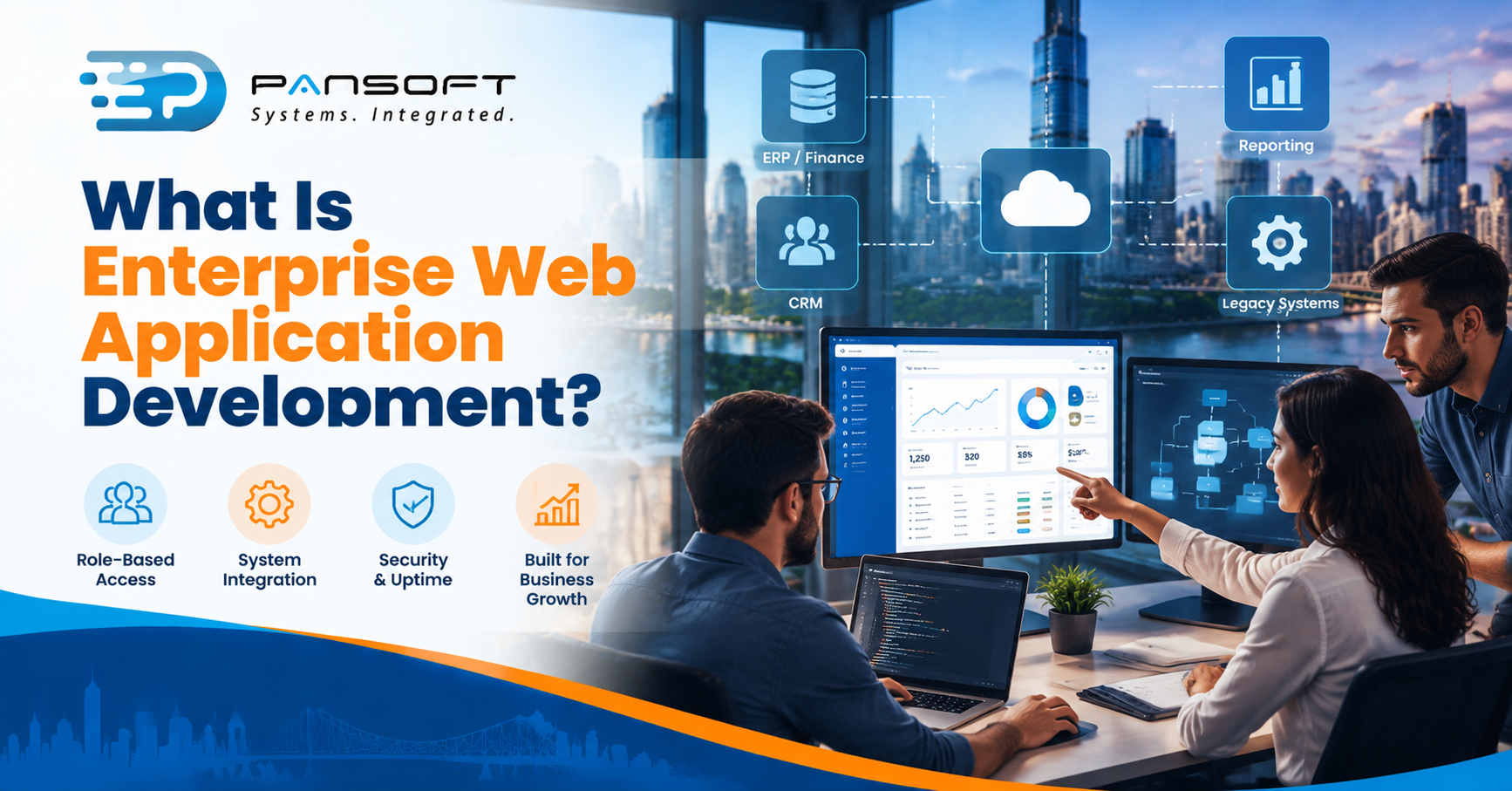
What Is Enterprise Web Application Development?
By the Pansoft Technologies team | Published 20 October 2026 | Last reviewed: October 2026
Enterprise web application development is building browser-based business systems that many staff, partners and other software depend on every day. Think role-based access, links into your existing systems, and security and uptime treated as requirements rather than extras, usually delivered in stages.
This is for owners and IT managers who keep hearing the term and want to know what it covers, what it costs you in decisions, and when you need it.
What is enterprise web application development when you strip the jargon?
It’s the design, build and upkeep of a web-based system that runs part of how your organisation operates. Staff sign in through a browser, see what their role allows, and the system exchanges data with the other tools you rely on.
A public website tells people about you. An enterprise application does work: approvals, orders, scheduling, reporting, customer and partner portals. If it goes down on a Monday morning, somebody notices within minutes.
Pansoft’s web development page groups this kind of work under its enterprise web application services, alongside integration and modernisation.
What makes a web application “enterprise”?
Scale of dependence, more than scale of size. A system becomes enterprise when many roles rely on it, it must connect to other systems, and it has to stay secure and maintainable for years.
| Question | Typical website | Enterprise web application |
|---|---|---|
| Who uses it? | Anyone, mostly reading | Named users with roles and permissions |
| What does it connect to? | Often little beyond a form | Finance, CRM, identity, reporting and more |
| What if it fails? | Enquiries are missed | Work stops |
| Who looks after it? | Whoever updates the content | Someone owning releases, access and fixes |
Here’s a gut-check: if staff would stop work without it, it’s an enterprise system. Enterprise web applications usually need design decisions about permissions, audit trails and data ownership before anyone writes code.
How is it different from a mobile app or bought software?
A web application runs in the browser on any device, while a mobile app is installed on a phone. Bought software is built for many customers, while this kind of work is built around your processes.
Plenty of organisations end up with a mix. A web application for office staff and a phone app for people in the field is common. If that sounds like you, the app development page covers the mobile side. For the wider choice between building and buying, see Pansoft’s software development service.
What goes into the architecture?
Less than vendors sometimes imply. Microsoft’s architecture guidance describes a single-deployment monolith as simple to run and often the right starting point, and it warns that microservices only pay off when their benefits outweigh the extra operational cost.
Here’s the trade-off in plain terms:
- A monolith is one application deployed as one unit. Easy to run and test. Harder to scale one busy feature without copying the lot.
- Distributed services let you scale and release pieces independently, but you take on more moving parts to monitor, secure and debug.
Microsoft’s own point is that a monolith can be split later once the boundaries are clear. That’s a useful discipline. Start with the simplest design that survives your next three years, not the one that looks best on a diagram.
What about security and accessibility?
Both are design requirements from day one. Retrofitting either is slower and costlier than building them in.
OWASP’s Top 10 is the common reference for the most serious web application security risks, with a 2025 edition current as at October 2026. OWASP describes it as an awareness document and a first step towards secure coding, not a complete checklist. Use it to shape testing, then add your own threats on top.
On accessibility, W3C’s WCAG is the international technical standard, and WCAG 2.2 is the current version. It’s written for developers and organisations that need a standard to build and test against. Whether it applies to you as a rule is a separate question for your own advisers.
How do integration and legacy systems come into it?
Usually they’re most of the work. Few organisations start from a blank page, so API and system integration decides whether a new application fits your existing systems or becomes another silo.
Picture a 150-person services business with a bought finance system, an older scheduling tool and staff who copy data between them. This is a hypothetical, not a client story. The old scheduler can’t be switched off yet.
Legacy system integration is how you get its data into a new web application without a risky big-bang replacement. Enterprise application modernisation can then retire the old pieces one at a time, once the new ones have proven themselves.
How should an enterprise build be run?
In small releases, with a named owner on your side. Agile delivery Australia wide should mean working software in front of you early, a short list of what’s in the first release, and regular reviews of that list.
Ask the same questions of any provider, including a studio offering custom software development Gold Coast businesses can meet face to face. Who writes the code? Who owns it? How are security and accessibility tested? What happens after launch?
Quick questions
Is an enterprise web application the same as a website?
No. A website mainly publishes information to the public. An enterprise web application runs business processes for signed-in users with different permissions, and usually connects to other systems. The two can share technology, but their requirements for security, uptime and maintenance are very different.
Does an enterprise web application have to use microservices?
No. Microsoft’s guidance says a single deployed application is simpler to run and often suits smaller or early-stage systems where boundaries aren’t clear. Microservices bring independent scaling and release, but also more operational work. Choose them when the benefits justify the extra effort and monitoring.
Do we need to meet WCAG?
Check with your own advisers, because obligations differ by organisation. WCAG is a technical standard, and WCAG 2.2 is the current version. Building to it from the start is usually cheaper than fixing a finished application, and it makes the system easier for more people to use.
Want to talk it through?
If you’re weighing up an enterprise web application, there’s no pressure. Pansoft can look at what you’re trying to run, what it needs to connect to and where a sensible first release would start. You can get in touch whenever suits you.

Related Posts
ERP Workflow Automation Explained: What Gets Automated First
Start with approvals, invoice matching, and the repetitive data entry your team repeats every day. Those workflows carry the most delay and the most errors, and automating them changes nothing about how the business thinks. ERP Workflow Automation pays off fastest when you automate one proven process at a time, measure the result, and only then move to the next.
Read More
Custom ERP Development vs Standard ERP Software: When Custom Actually Wins
Custom ERP wins when the way you run the business is the reason customers choose you, and a standard package would force you to reshape proven processes to fit the software. For most organisations, a standard ERP with careful configuration is faster to launch, simpler to maintain, and the right call. Custom ERP Development Australia is worth the investment only when your processes are genuinely different, not just familiar.
Read More